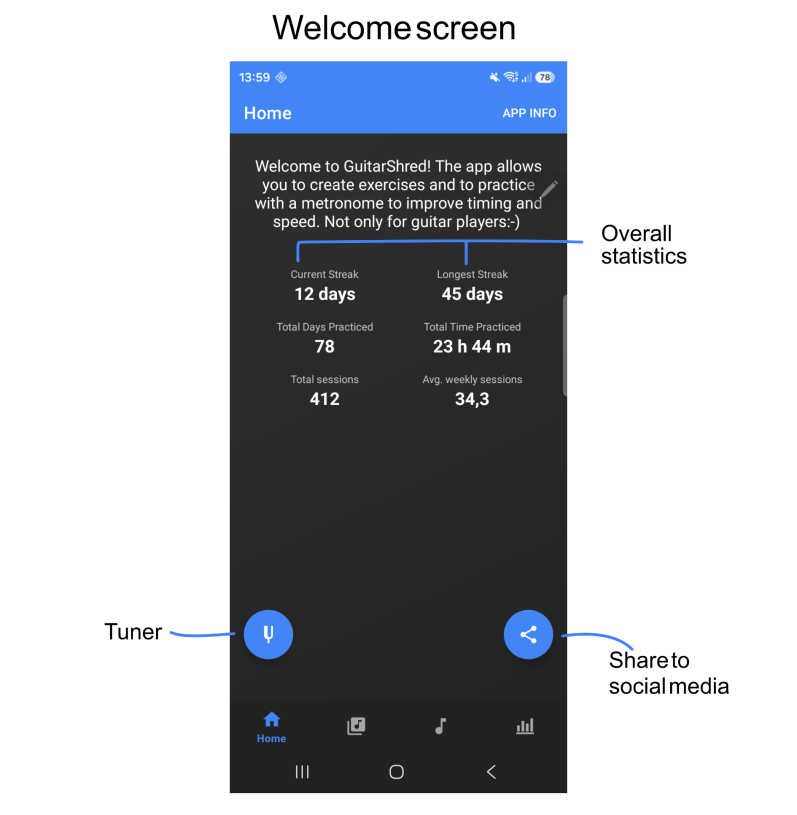
On the welcome page, you get a quick overview of the current practice state, direct access to a tuner, and the possibility to share your success on social media.
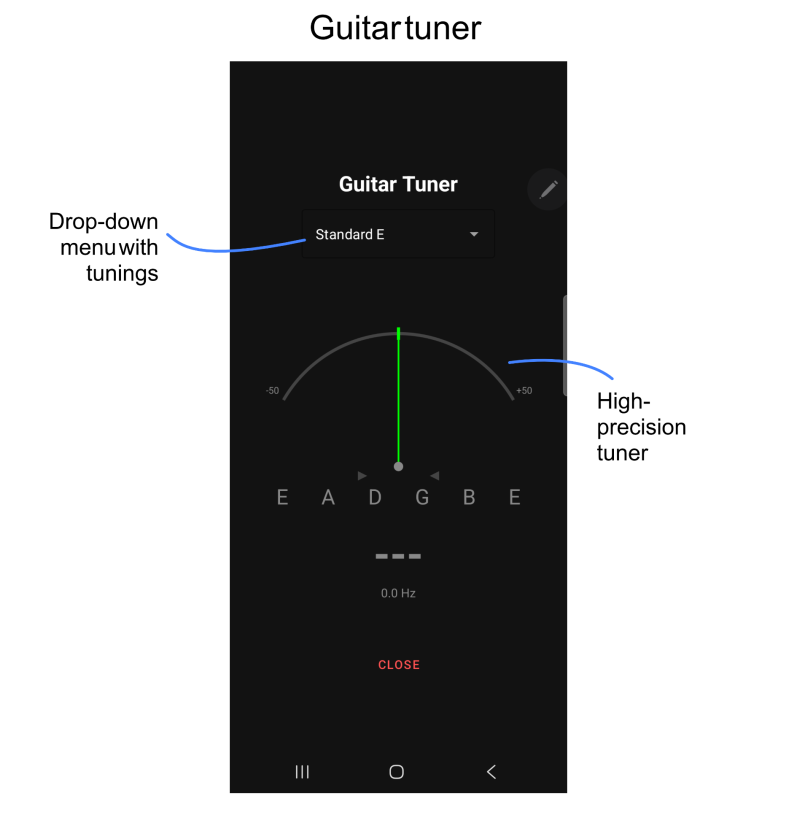
Access a high-precision tuner right from within the app.
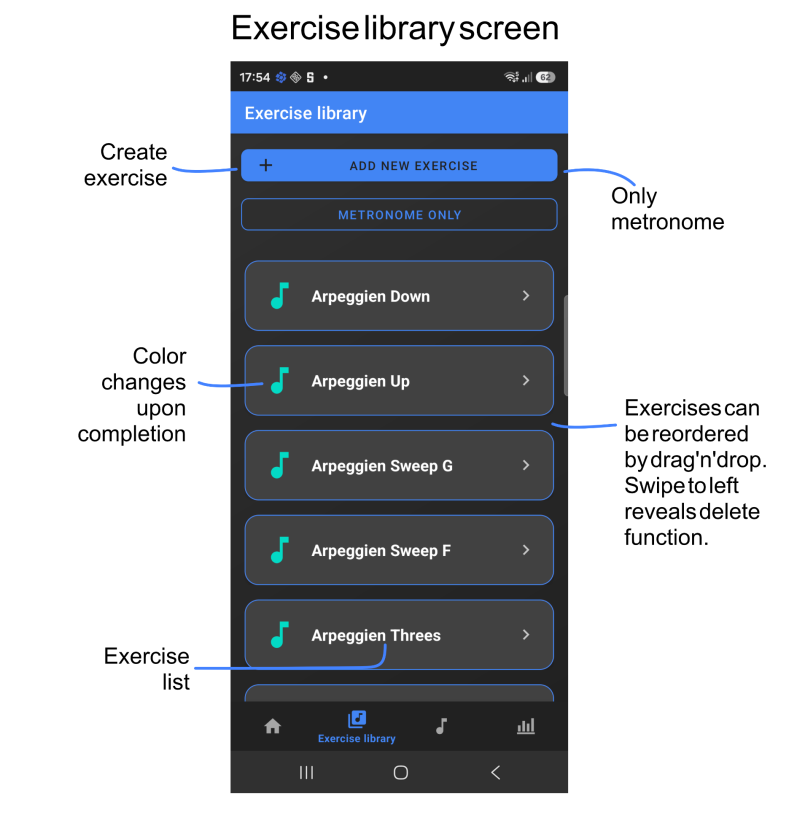
On the Exercise library screen, you can see all exercises, create new exercises, or swith to the metronome only mode.
Before the first exercise is added, a help text is displayed providing hints.
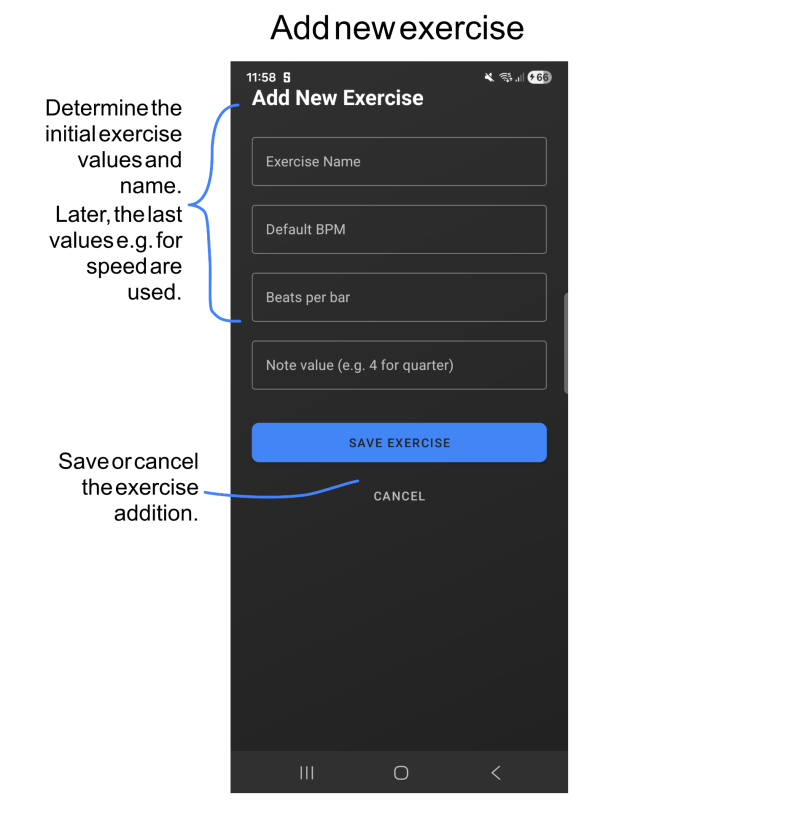
Initial configuration of new exercises. While practicing, settings can change as e.g. the speed in bpm. When a new instance of the exercise is done, the last setting is read from the database.
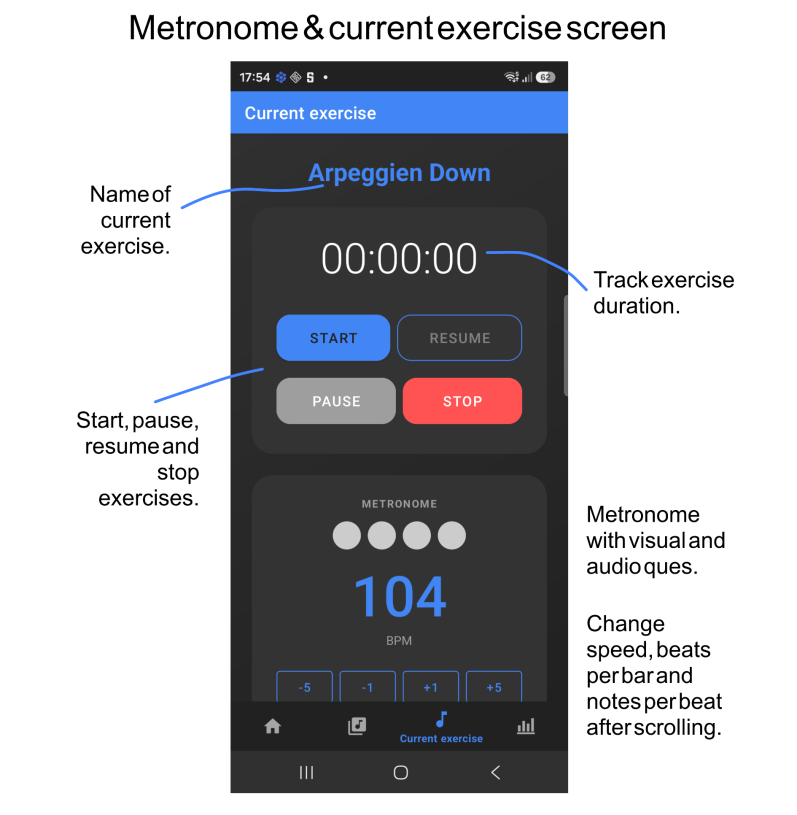
In the metronome and current exercise screen, exercises are run or a practice to the metronome is possible. The time spent for the sxercise is tracked and saved to the database. Also, the last settings as e.g. the speed in bpm is saved and re-used when the exercise is started again. When the metronome only mode is used, nothing is saved to the database.
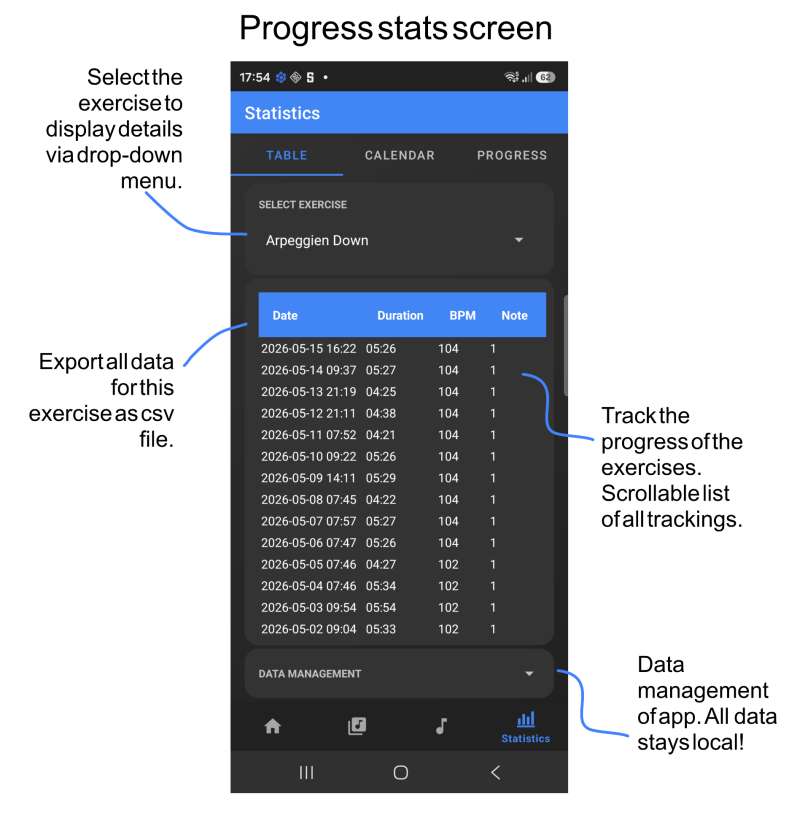
The progress stats screen shows all previous instances of an exercise. On the bottom is a data management tab to e.g. export all data as a csv file for archiving or use in another tool. Also, the database can be backed up. Further, import functions allow restoration of the app data, e.g. after a change of device. Also, all data can be deleted. But careful! This can not be undone. But you are asked before it is gone;-)
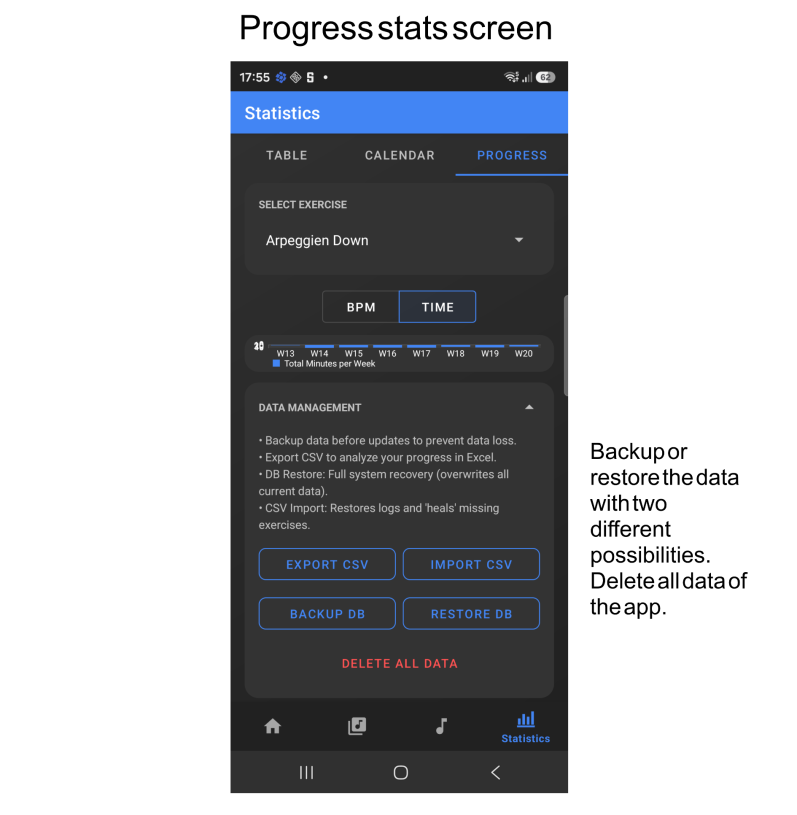
Details of the data management functionality.
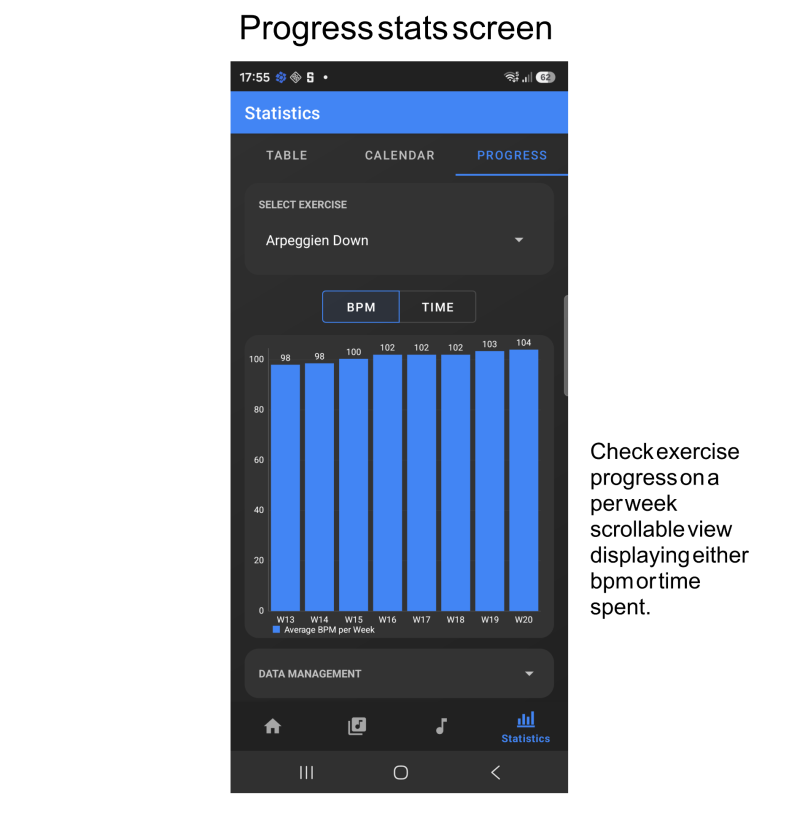
Several visualizations allow you to follow your progress. Stay tuned! More to come:-)
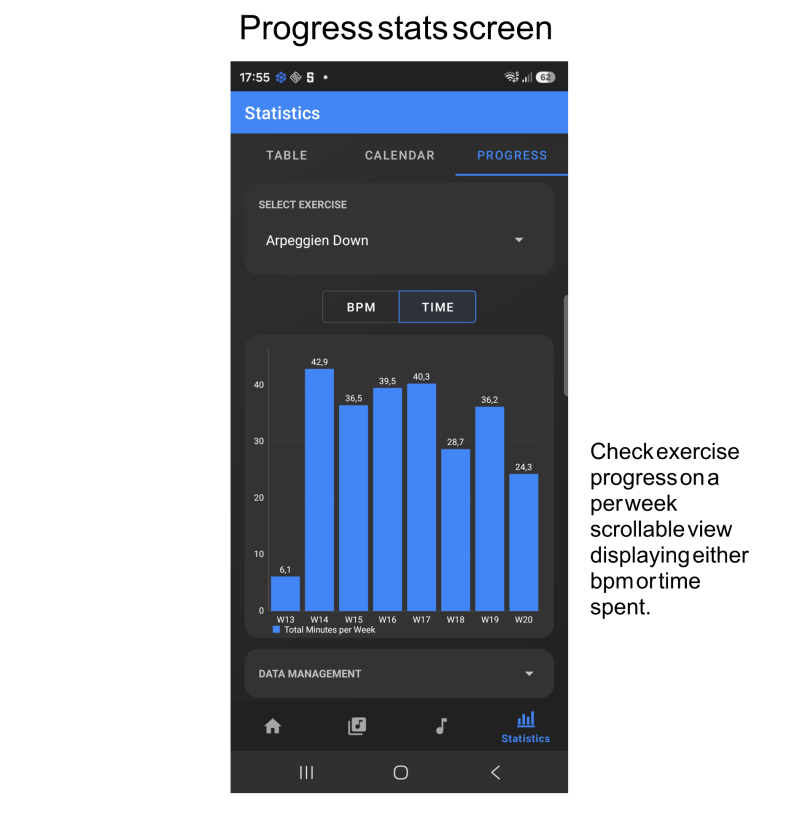
Several visualizations allow you to follow your progress. Stay tuned! More to come:-)
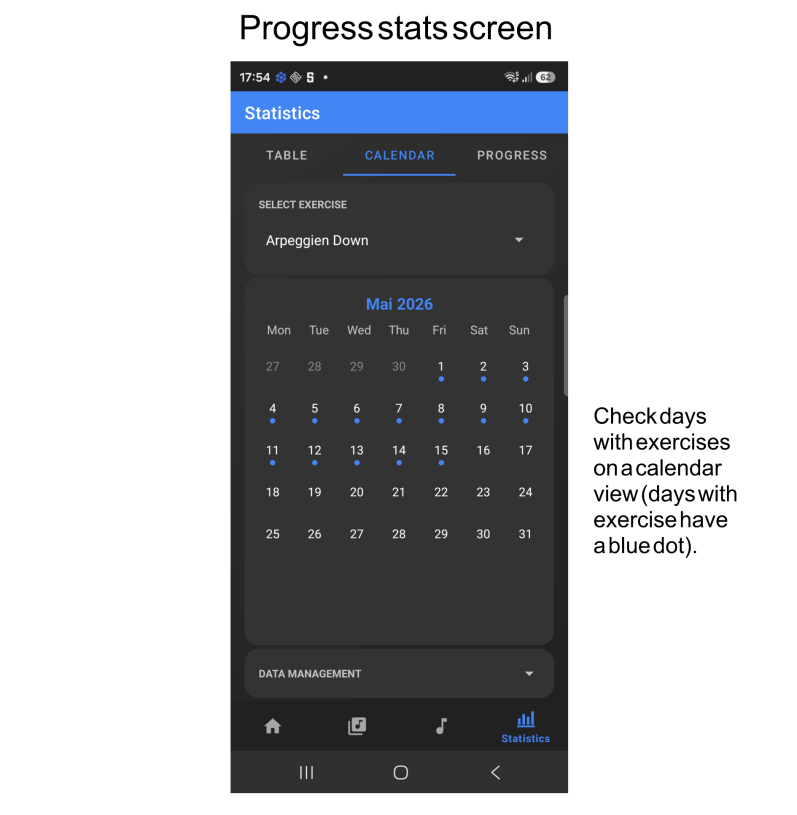
The calendar view let's you check when you practiced. All dates with a blue dot were days with at least one exercise.

The drum computer (Pro feature) allows to jam to various built-in or custom rhythms.
There is more to come! Stay tuned and check for updates:-)